

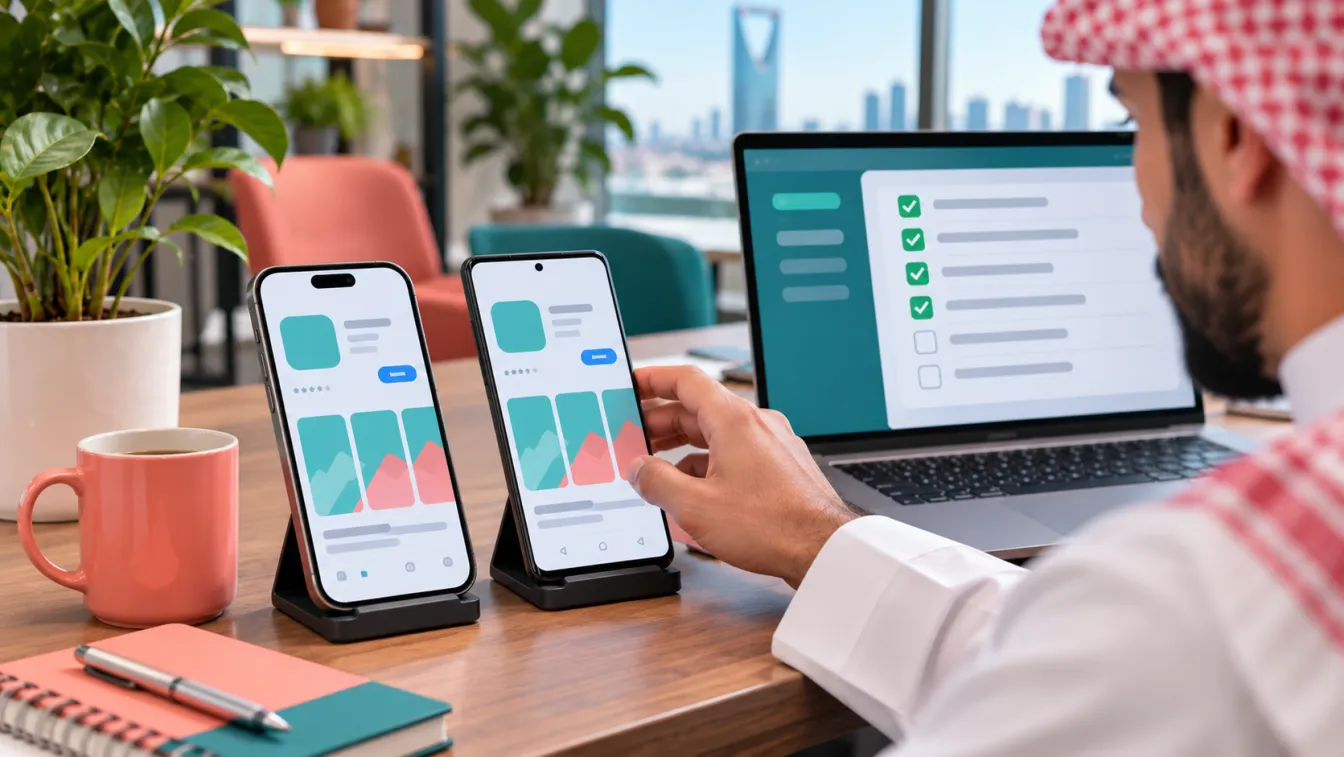
App Store submission is the process of preparing a mobile application, its store listing, technical build and supporting information for review and publication on Apple App Store or Google Play. It involves more than uploading an application file: the business must ensure that the product, privacy information, permissions and store content are ready for the relevant platform requirements.
For Saudi businesses planning to launch an iOS or Android application, preparing for publication should be part of the development process, not a task left until the final stage. At LtsThink, we help businesses plan and build applications through our mobile app development services in Saudi Arabia, including technical preparation, store assets, submission handling and post-launch support.
What is App Store submission?
App Store submission means preparing an application and sending it to the relevant distribution platform for review. Apple applications are submitted through App Store Connect, while Android applications are managed through Google Play Console.
Each platform has its own account requirements, technical specifications, listing information, privacy disclosures and review guidelines. The application must meet the applicable requirements before it can be made available to users.
A typical publication process involves:
- Setting up the appropriate developer account.
- Preparing the application build and signing configuration.
- Completing the store listing and application information.
- Providing screenshots, icons and promotional assets where required.
- Reviewing privacy disclosures and requested permissions.
- Testing the application and preparing review credentials where necessary.
- Submitting the application for platform review.
- Addressing feedback or requested changes.
- Coordinating publication and subsequent updates.
The exact steps and available options can change, so developers and business owners should consult the current platform documentation before submission.
1. Prepare the developer accounts
Before an application can be published, the business needs the appropriate developer account and access permissions.
For Apple applications, publication is managed through Apple's developer ecosystem and App Store Connect. For Android applications, the corresponding publishing environment is Google Play Console.
Start by deciding who should own the accounts. For a business application, the organisation should generally retain control of its publishing identity and access rather than relying entirely on an individual developer's personal account.
Prepare the following information as applicable:
- Legal business or account-holder information.
- Contact details and account administration responsibilities.
- Required identity or organisation verification information.
- Access permissions for developers and authorised team members.
- Account recovery and security arrangements.
- Agreements or declarations requested by the relevant platform.
Account setup and verification requirements differ between platforms and account types. Do not assume that completing an account registration automatically makes it ready for publishing.
Agree on account ownership early. The business should understand who can manage application records, submit builds, respond to platform messages and maintain access after the development engagement ends.
2. Prepare the application before App Store submission
The application itself must be technically ready before it is submitted for review.
This includes more than ensuring that the main screens open successfully. The development team should check the application's behaviour, supported devices, authentication, data handling and important user journeys.
Review the following areas:
- Application identity: Confirm the application name, bundle identifier or package name and associated configuration.
- Build configuration: Check release settings, signing and the required platform configuration.
- Compatibility: Verify behaviour on the supported operating systems and intended device categories.
- Authentication: Ensure account registration, login and password recovery work as expected.
- Core functionality: Test the main actions and business workflows from beginning to end.
- Network handling: Review loading, interrupted connections, failed requests and recovery behaviour.
- Notifications: Confirm that notification permissions and delivery behaviour match the intended experience.
- External services: Verify payment, maps, authentication and other integrations included in the application.
For example, a hypothetical Saudi retail application should be tested from product discovery through checkout and order confirmation. A successful-looking home screen is not enough if the customer cannot complete a purchase or the order is not recorded correctly.
The development team should also distinguish between test configurations and production configurations. Test accounts, sample transactions and development endpoints must not accidentally remain in the published application.
3. Create the store listing
The store listing is how potential users understand what the application offers before installing it. It should accurately describe the product and reflect the actual functionality available in the submitted version.
Prepare the following assets and information:
- Application name: A clear name that identifies the product.
- Short description or subtitle: A concise explanation of its purpose, where applicable.
- Full description: An accurate explanation of the main capabilities and intended audience.
- Application icon: The required icon assets in the supported formats.
- Screenshots: Images showing genuine application screens and important functionality.
- Preview assets: Additional media where supported and appropriate.
- Category: The relevant application category.
- Support information: A valid support contact and any required support website.
- Privacy information: Links and declarations requested by the platform.
Avoid descriptions that promise functionality that is not available. If the application is intended for a particular business, service or audience, explain that clearly.
For Saudi-facing applications, prepare Arabic and English store content when both audiences are supported. Review translated descriptions, screenshots and interface terminology to ensure consistency between the listing and the actual application.
Store assets should also follow the relevant platform's image specifications. Screenshots should represent the submitted application rather than unrelated promotional illustrations or misleading interface designs.
4. Prepare privacy disclosures and data handling information
Privacy information is a significant part of publication preparation. Businesses should understand what information their applications collect, why it is collected, how it is used and which external services may receive it.
Start with an inventory of application data, including:
- Account details and contact information.
- Location information, where applicable.
- Payment-related information and transaction references.
- Uploaded images, documents or other user content.
- Device permissions and identifiers where relevant.
- Usage information and diagnostic data.
- Information shared with external service providers.
The privacy disclosures submitted to platform stores must accurately reflect the application's actual behaviour and integrated services.
Also prepare an accessible privacy policy that explains the relevant data practices in understandable language. The policy should match the implementation rather than describing an ideal process that the application does not follow.
For Saudi businesses, consider the Personal Data Protection Law (PDPL), applicable data-hosting and residency expectations, and any additional requirements relevant to the business sector.
Healthcare and financial applications may involve additional regulatory considerations. The business should confirm applicable obligations with the relevant authority or qualified adviser. A store listing or privacy declaration should not be treated as proof of regulatory compliance.
5. Review permissions and sensitive capabilities
Mobile applications often request access to device capabilities. Each permission should have a clear purpose related to the application's functionality.
Common examples include:
- Camera access for scanning documents or capturing images.
- Location access for delivery, navigation or location-based services.
- Photo library access for selecting user-uploaded images.
- Microphone access for voice features.
- Notification permissions for important updates.
- Bluetooth access where connected devices are part of the product.
Ask whether each permission is genuinely necessary and when it should be requested.
For example, a hypothetical delivery application may need location access to support address selection or delivery tracking. However, the application should explain the purpose clearly and avoid requesting unnecessary access.
Prepare permission descriptions and in-app explanations where required. Test what happens when users grant, deny or later change a permission.
Also review third-party SDKs and integrated services. A permission or data practice may be introduced through an external library even when the development team did not add a visible feature for it directly.
6. Test the application before App Store submission
Testing should cover the complete experience, not only whether the application launches.
A practical pre-submission checklist includes:
- Registration and login on supported devices.
- Password recovery and account management.
- Main customer and employee workflows.
- Form validation and error handling.
- Payment and transaction scenarios where applicable.
- Notifications and permission handling.
- Arabic and English language switching.
- Right-to-left layout and text rendering.
- Network interruptions and recovery.
- Application behaviour after restarting or updating.
- Access controls and protection of sensitive information.
- Compatibility with the declared supported devices and operating systems.
For a hypothetical appointment application, test booking, rescheduling and cancellation according to the business rules. Confirm that the selected appointment is reflected correctly in the administration system and that users receive the expected confirmation.
Testing should also include realistic account conditions. If the application requires login to access important features, prepare suitable review credentials and explain how reviewers can reach the relevant functionality.
Do not submit an application with unfinished screens, placeholder content, broken navigation or critical defects in its main purpose.
7. Understand the review process on Apple and Google Play
Both platforms review applications against their applicable technical, content, privacy and policy requirements. The details and procedures are not identical, and the review outcome depends on the submitted application and the platform's assessment.
For Apple applications, the business should prepare the relevant App Store Connect information and ensure the build and metadata are complete. For Android applications, the Google Play Console listing, application bundle and required declarations must be prepared according to the applicable publishing process.
Review preparation should consider:
- Whether the application provides the functionality described in its listing.
- Whether login and important features are accessible during review.
- Whether privacy information matches actual data practices.
- Whether requested permissions have appropriate explanations.
- Whether the application contains complete and accurate content.
- Whether external services and payment flows comply with applicable requirements.
- Whether the application behaves reliably on supported devices.
If the application requires a special account, subscription, business approval or location-specific access to demonstrate its functionality, explain the relevant process in the review notes where appropriate.
Never assume that an application will be accepted simply because it has passed internal testing. Review teams may request additional information or changes.
8. What happens if an App Store submission is rejected?
A rejection or review concern does not necessarily mean the entire application needs to be rebuilt. The first step is understanding the specific issue described by the platform.
Possible areas of concern include:
- Incomplete application functionality.
- Broken links or navigation.
- Missing privacy information.
- Unclear permission purposes.
- Inaccurate store descriptions or screenshots.
- Problems accessing important features.
- Issues involving payments or external services.
- Technical defects or unexpected behaviour.
Review the feedback carefully and identify whether the required action involves code changes, metadata updates, additional documentation or clarification.
Then:
- Identify the affected requirement or application behaviour.
- Reproduce the issue where possible.
- Determine whether it is a technical, content or policy-related concern.
- Agree on the required correction.
- Implement and test the change.
- Update the relevant store information if needed.
- Resubmit the application or provide the requested clarification through the appropriate platform process.
Maintain a record of review feedback and changes. This makes future submissions and updates easier to manage.
The business should consult the current platform guidance for the specific issue rather than relying on general assumptions about review decisions.
9. Plan publication for the Saudi market
Publishing an application for Saudi users involves product and operational considerations beyond completing the store forms.
Before launch, review the following:
- Arabic and English availability: Ensure that supported languages are reflected in the application and store listing.
- Right-to-left experience: Check Arabic screens, navigation, icons, forms and notifications.
- Local payments: Verify supported payment methods and the relevant transaction flows.
- Date and time presentation: Consider Hijri and Gregorian dates where appropriate.
- Customer support: Provide clear support information and an operational process for handling enquiries.
- Privacy and hosting: Review personal-data handling and applicable hosting expectations.
- Sector requirements: Check any additional considerations for healthcare, financial services or other regulated activities.
- External integrations: Confirm that business integrations and any required permissions are operational.
If the application involves Nafath or Absher-related services, confirm the availability, permissions and applicable integration requirements directly with the relevant authority or qualified adviser. Do not describe a planned integration as approved or available until it has been confirmed.
The store publication process is only one part of launch readiness. Customer support, backend monitoring, operational ownership and maintenance should also be prepared.
10. Manage updates after the application is published
Publication is not the end of the development process. Applications need ongoing attention as operating systems change, external services evolve and users report problems or request improvements.
After publication, establish a process for:
- Monitoring crashes and application errors.
- Reviewing customer feedback and support requests.
- Maintaining backend services and integrations.
- Updating dependencies and security components.
- Testing compatibility with operating system updates.
- Preparing new builds and store submissions.
- Maintaining screenshots, descriptions and privacy information when the product changes.
- Reviewing application access and developer account security.
For example, a hypothetical delivery business may introduce a new order-status workflow. The development team should verify the updated backend behaviour, customer interface, notifications and administration controls before publishing the new version.
A clear maintenance arrangement helps the business understand who is responsible for application updates and how technical issues are handled after launch.
11. Should your development team handle App Store submission?
Store publication involves technical work, product information, account management, privacy declarations and communication with platform review teams. Having one team coordinate these activities can make the process easier to manage.
Before selecting a development company, clarify whether its delivery scope includes:
- Preparing release builds and signing configurations.
- Supporting developer account setup and access arrangements.
- Preparing store descriptions and required assets.
- Reviewing privacy information and permission declarations with the business.
- Preparing application testing and review credentials.
- Completing submission steps through the authorised account.
- Responding to review feedback and coordinating required changes.
- Preparing the production release and post-publication checks.
The business should retain appropriate ownership of its developer accounts and understand which activities are handled by the development team.
At LtsThink, we consider publication during application planning rather than treating it as an unrelated final task. Our team can coordinate the application build, backend, admin panel, integration testing, store assets and submission process as part of the agreed project scope.
The exact responsibilities are clarified during discovery. We review the application requirements and prepare a fixed-price proposal based on the agreed scope, including the relevant publication and handover activities.
Work with us: Looking for an app development company in Riyadh or a team that works across the Kingdom? Preparing to publish your first iOS or Android application in Saudi Arabia? Discuss your mobile app development and store submission requirements with LtsThink. You can also read our guide to mobile app maintenance after launch to understand the responsibilities that continue after publication.
FAQ
How do I publish an application on Apple App Store and Google Play?
Prepare the appropriate developer accounts, application builds, store listings, screenshots, privacy disclosures and required declarations. Submit the application through App Store Connect or Google Play Console and follow the relevant platform review process before publication.
Can a development company submit my application for me?
A development company can coordinate technical preparation and submission activities when the business provides the necessary authorised access. The business should retain appropriate ownership and control of its developer accounts and understand the responsibilities assigned to each team member.
Why might an application be rejected during review?
Possible reasons include incomplete functionality, inaccurate store information, missing privacy disclosures, unclear permissions, technical defects or issues with important user journeys. The appropriate response depends on the specific feedback provided by the platform.
Can my application be updated after publication?
Yes. Developers can prepare and submit updated builds and store information through the relevant publishing environment. Updates should be tested, and any changed privacy practices, permissions or application capabilities should be reflected in the required declarations.