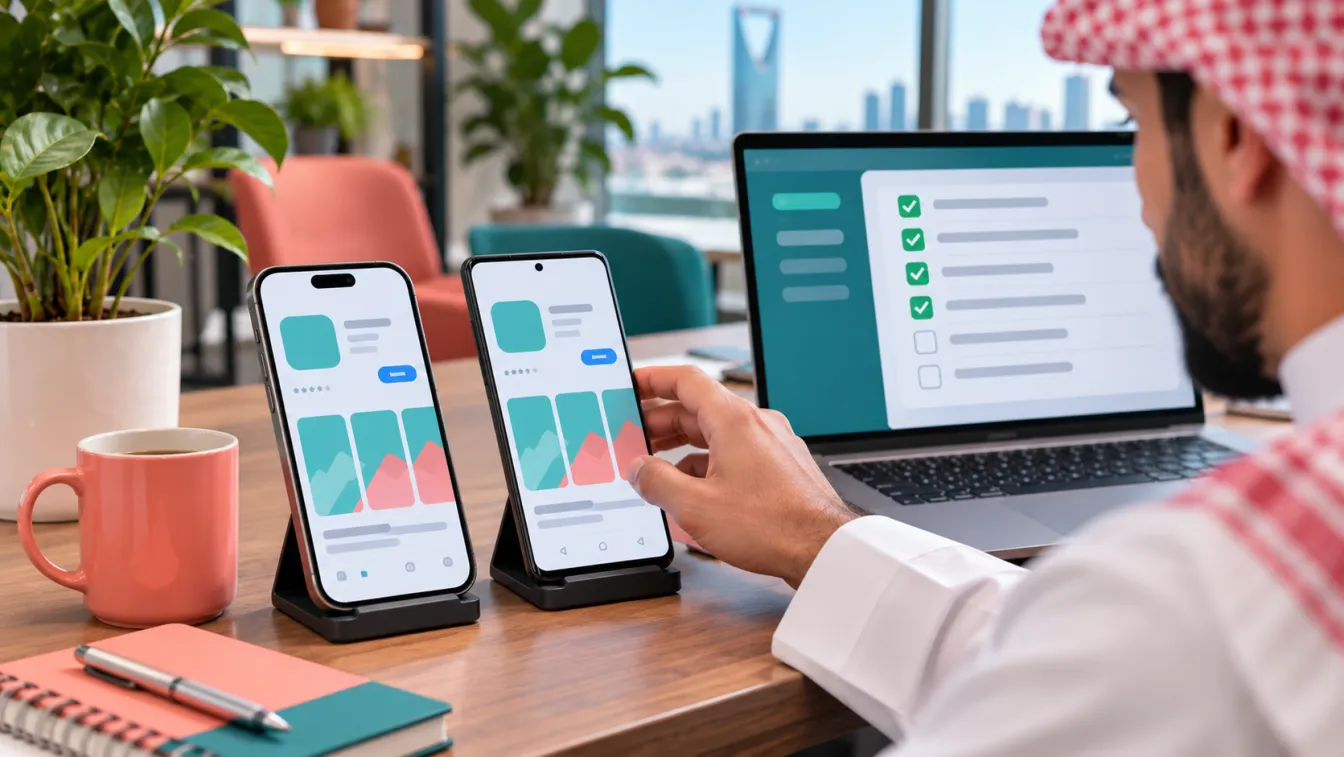


Building a mobile application starts with understanding what the business needs, who will use the application and what the finished product must accomplish. Clear mobile app requirements turn an initial idea into a written scope that a development team can estimate, design, build and test against.
Before development begins, prepare a requirements document that describes user roles, features, business rules, integrations and acceptance criteria. At LtsThink, we help Saudi businesses translate these decisions into a practical development scope through our mobile app development services in Saudi Arabia. This document is not a technical design or a collection of screen sketches. It is an agreement about what the application is expected to do.
What are mobile app requirements?
Mobile app requirements describe the capabilities, rules and expected behaviour of an application from the business and user perspectives. They explain what the product must support, which users can access each function, what information it handles and how it connects to other systems.
A useful requirements document answers five fundamental questions:
- Who will use the application? Identify customers, employees, administrators, managers, service providers and other relevant user groups.
- What should each user be able to do? Define features and permissions for every role.
- How should the business process work? Describe workflows, decisions, notifications, exceptions and operational rules.
- Which systems must connect to the application? Identify payment services, ERP, CRM, POS, delivery services and other external platforms where relevant.
- How will everyone know the work is complete? Establish acceptance criteria for each important feature.
These decisions give the project a shared reference point. Without them, business owners may expect one outcome while designers and developers interpret the same idea differently.
1. Start with the business objective, not the feature list
The first step is explaining why the business needs an application. A feature list describes what someone wants to build, but a business objective explains the problem the product should solve.
For example, imagine a hypothetical Saudi company that provides maintenance services for residential properties. Its management wants an application because customers currently request visits through several communication channels, while technicians receive assignments separately.
Instead of starting with features such as login, notifications and maps, define the business objectives:
- Give customers a consistent way to request maintenance.
- Allow customers to follow the status of their service requests.
- Help operations managers assign technicians and organise visits.
- Give technicians access to their assigned jobs and service instructions.
- Keep service records available to authorised employees.
Each objective should have a clear business reason. This helps the team distinguish essential capabilities from features that sound attractive but do not solve an immediate problem.
Ask stakeholders what is difficult about the current process, what should change and what must remain under human control. Document the answers before deciding how the application will work.
2. Define user roles and permissions
A mobile application rarely serves every user in exactly the same way. Customers, employees, supervisors and administrators usually need different interfaces, information and permissions.
Your mobile app requirements should identify every user role and describe what each role can view, create, edit, approve or manage.
Consider the hypothetical maintenance company. Its user roles could include:
- Customer: Creates service requests, provides property details, selects an available appointment and follows request status.
- Technician: Views assigned jobs, checks instructions, updates job status and records completed work.
- Operations manager: Reviews incoming requests, assigns technicians, manages schedules and handles exceptions.
- Administrator: Manages user accounts, service categories, configuration and access permissions.
Do not stop at naming the roles. Document the boundaries between them.
For example, can a technician view another technician's assignments? Can an operations manager change a completed service record? Can an administrator access customer information? Which actions require approval?
Also document the authentication requirements. Depending on the product, these may include email or mobile-number registration, one-time passwords, password recovery, session management or enterprise access controls.
For Saudi-facing applications, consider Arabic and English experiences, right-to-left presentation and the appropriate handling of personal information. If an application involves Nafath or Absher-related integrations, confirm availability, requirements and permissions with the relevant authority or qualified adviser before including them in the committed scope.
3. Turn business objectives into functional features
Once the user roles are clear, describe the actual capabilities the application needs. A functional requirement explains an action or behaviour the system must support.
Avoid writing vague requirements such as "the application should be easy to use" or "users should manage their accounts." Those statements do not tell developers what to implement or testers what to verify.
Instead, describe specific behaviour.
For example:
- A customer can create a service request by selecting a service category, entering a property address and describing the issue.
- The application validates required fields before accepting the request.
- The customer receives confirmation after a request is successfully submitted.
- The operations manager can assign an available technician to an open request.
- The technician can update the request status according to the permitted workflow.
- The customer can view the latest status of their own requests.
Group features into functional areas to make the scope easier to review:
- Account management: Registration, login, profiles, password recovery and account settings.
- Core business operations: Orders, bookings, service requests, subscriptions or transactions, depending on the product.
- Communication: Push notifications, in-app messages, email or SMS where required.
- Payments: Payment initiation, transaction confirmation, refunds and payment-status handling when applicable.
- Administration: User management, content management, reports, configuration and operational controls.
- Support: Help requests, contact options, complaint handling and relevant service information.
Separate customer-facing mobile features from administration requirements. Many projects need an admin panel and backend in addition to the iOS and Android applications. These should be explicitly included in the scope rather than treated as automatic additions.
4. Document business rules and workflows
A feature description explains what a user can do. A business rule explains the conditions under which an action is allowed and what happens afterward.
This distinction is important because apparently simple features often depend on operational decisions that developers cannot safely invent.
For the hypothetical maintenance application, document questions such as:
- Can customers cancel a request after a technician has been assigned?
- Can a technician reject an assignment, and who receives the notification?
- What happens when no technician is available?
- Can a service request be reopened after completion?
- Who can change an appointment?
- Which statuses are available, and who can move a request from one status to another?
Describe the expected workflow from beginning to end. Include normal operations as well as exceptions, such as failed payments, unavailable appointments, rejected requests, network interruptions and incomplete submissions.
A simple numbered workflow can make complicated operations easier to understand:
- The customer submits a service request.
- The backend validates the submitted information.
- The request appears in the administration panel.
- An authorised manager assigns a technician.
- The technician receives the assignment and updates its status.
- The customer receives relevant status notifications.
- The completed request is recorded for authorised users.
The purpose is to agree on the business behaviour before implementation, not to prescribe every technical detail.
5. Identify integrations and external dependencies
An application may need to exchange information with systems that already operate the business. These connections can affect the architecture, permissions, testing and project scope.
Your requirements document should list each proposed integration and explain why it is needed.
Common examples include:
- ERP systems: Synchronising products, inventory, invoices, customers or operational records.
- CRM platforms: Sharing customer profiles, leads, enquiries and interaction history.
- POS systems: Connecting retail transactions, product information and branch operations.
- Payment services: Processing transactions and receiving payment-status updates through supported integrations.
- Maps and location services: Supporting addresses, location selection, navigation or service coverage.
- Communication services: Sending notifications, verification messages and transactional updates.
- External business APIs: Connecting delivery providers, booking platforms or other operational services.
For each integration, record the system name, business purpose, information exchanged, expected direction of data flow and responsible system owner.
Also clarify whether the business already has API documentation, access credentials, a test environment and permission to connect. Some integrations depend on third-party approval or technical capabilities outside the development team's control.
If your project includes a website, customer portal or business system, consider whether information should be managed centrally. Our web application development services and ERP and CRM solutions can be relevant when the application is part of a wider digital operation.
6. Record non-functional requirements
Functional requirements describe what the application does. Non-functional requirements describe the quality, security and operational characteristics expected from it.
These are easy to overlook when a project focuses entirely on screens and features, but they can significantly influence development decisions.
Document the following areas:
- Performance: Expected responsiveness, loading behaviour and handling of demanding operations.
- Security: Authentication, access controls, secure communication, sensitive-data handling and audit requirements.
- Privacy: What personal information is collected, why it is needed, who can access it and how it is handled.
- Availability: Expected service availability and how interruptions should be communicated or managed.
- Scalability: Anticipated operational growth and the ability to extend the system without unnecessary redesign.
- Compatibility: Supported operating systems, device categories and relevant browser requirements for any accompanying web interface.
- Accessibility: Readable text, understandable navigation, suitable contrast and accessible interaction patterns.
- Language support: Arabic and English content, right-to-left layouts, appropriate date formats and consistent terminology.
For Saudi projects, consider the Personal Data Protection Law (PDPL), applicable data-hosting and residency expectations, and any sector-specific requirements relevant to the product. Healthcare and financial applications may require additional review. The business should confirm its obligations with the relevant authority or qualified adviser rather than assuming that a development specification establishes regulatory compliance.
7. Define acceptance criteria for every important feature
Acceptance criteria describe the conditions that must be satisfied before a feature can be considered complete. They turn broad expectations into verifiable outcomes.
For example, the requirement "customers can book an appointment" is not specific enough. The team needs to understand what successful booking means.
A more useful set of acceptance criteria could be:
- The customer can select an available service and appointment slot.
- The system prevents a customer from submitting an incomplete booking.
- The selected slot is checked against current availability before confirmation.
- A successful booking receives a unique reference.
- The booking appears in the administration panel.
- The customer receives a confirmation through the agreed communication channel.
- If the booking cannot be completed, the application explains the problem without displaying a false confirmation.
For each major feature, clarify:
- The expected starting conditions.
- The user action being performed.
- The expected system response.
- The information that must be saved or updated.
- The relevant error and exception scenarios.
- The person responsible for reviewing and accepting the result.
Acceptance criteria should be agreed upon by the business owner and relevant stakeholders before development. They provide the basis for testing and reduce disagreements during handover.
8. Distinguish requirements, prototypes and MVP scope
These three project activities are connected, but they solve different problems. Treating them as interchangeable creates confusion and can lead to incomplete project agreements.
- Requirements document: Defines what the business needs. It records user roles, features, workflows, integrations, business rules and acceptance criteria. It establishes the written scope.
- Prototype: Shows how users may interact with the proposed product. It uses wireframes and clickable flows to test navigation, screen structure and user journeys with representative users. It helps validate the experience before implementation.
- MVP scope: Decides which approved capabilities will be included in the first working release and which will be delivered in later phases. It prioritises what must ship without committing to every possible future feature.
For example, a hypothetical online retail business may require customer accounts, product browsing, checkout, order tracking, inventory synchronisation and promotional features.
The requirements document records all these needs and the rules governing them. The prototype explores how customers move from product discovery to checkout and how administrators manage orders. The MVP decision determines which capabilities belong in the initial release and which can follow in later releases.
This separation keeps the written scope complete without forcing every requirement into the first release. It also prevents a clickable prototype from being mistaken for a working application.
9. When should you not build a mobile app yet?
Not every business problem requires a dedicated iOS and Android application. Building an app creates ongoing responsibilities involving development, publishing, maintenance, security and support.
A responsive website may be sufficient when customers mainly need information, contact details, service descriptions or occasional transactions.
A Progressive Web App (PWA) may be appropriate when the business wants an app-like browser experience without committing to a full native distribution model.
An existing off-the-shelf platform may be enough when its standard workflows already cover the business requirements and extensive customisation is unnecessary.
Before approving an application project, ask:
- Do users need to return regularly and interact with the business through a dedicated mobile experience?
- Are device capabilities such as location, camera, push notifications or offline operation essential?
- Does the business need workflows that existing tools cannot support adequately?
- Is there a clear owner for application operations, updates and support?
- Can the business explain what value a dedicated app provides beyond its existing website or systems?
If these questions do not establish a clear need, improve the existing digital experience first. A responsible development recommendation should consider the simplest solution that meets the business objective.
10. A practical mobile app requirements checklist
Before sharing your project with a development team, prepare the following information:
- Business overview: Company activity, target audience, business problem and intended product objectives.
- User roles: Every user category, its responsibilities and its permissions.
- Functional scope: Features organised by user role and business area.
- Business workflows: Main user journeys, approval processes, status changes and exceptions.
- Integrations: Existing systems, required APIs, data exchanged and access availability.
- Non-functional requirements: Security, performance, privacy, availability, language and compatibility expectations.
- Content requirements: Arabic and English content, terminology, images, documents and notification messages.
- Acceptance criteria: Clear conditions for testing and approving each important feature.
- Operational ownership: Who manages the backend, administration panel, application content, user support and ongoing updates.
- Project constraints: Existing infrastructure, technical dependencies, business policies and any required third-party approvals.
You do not need to know every technical answer before speaking to a development team. You do need enough business information to make decisions together and identify unanswered questions.
At LtsThink, our discovery process helps organise these inputs, identify dependencies and turn them into a practical scope. The development approach may involve Flutter or native iOS and Android builds, a shared backend, an administration panel and integrations with the systems your business already uses. The appropriate architecture depends on the actual requirements, not on choosing a technology before understanding the product.
The final scope should identify what is included, what is excluded, what depends on external providers and how completed work will be accepted. We review the requirements during discovery and provide a fixed-price proposal based on the agreed scope rather than presenting an unsupported estimate from an initial idea.
Work with us: Looking for an app development company in Riyadh or a team that works across the Kingdom? If you are planning a new application for your Saudi business, talk to LtsThink about mobile app development and discuss your requirements with our team. You can also read our guide to MVP app development in Saudi Arabia to understand how the first release is separated from future product phases.
FAQ
What is a mobile app requirements document?
It is a written description of the application's business objectives, user roles, features, workflows, integrations, constraints and acceptance criteria. It gives the business and development team a shared understanding of the agreed scope.
Who should prepare the application requirements?
The business owner or product manager should provide the business objectives and operational knowledge. Relevant employees and stakeholders should contribute their requirements. The development team can then facilitate discovery, identify technical dependencies and organise the information into a clear document.
Do I need a complete requirements document before contacting a development company?
No. You can start with a business idea, a description of the problem and an understanding of the intended users. A discovery session can help identify missing decisions and prepare the detailed scope before development is approved.
Are requirements, a prototype and an MVP the same thing?
No. Requirements define what the product needs to do. A prototype demonstrates and tests how users interact with the proposed experience. An MVP defines which capabilities will be included in the first working release, with the remaining features planned for later phases.