

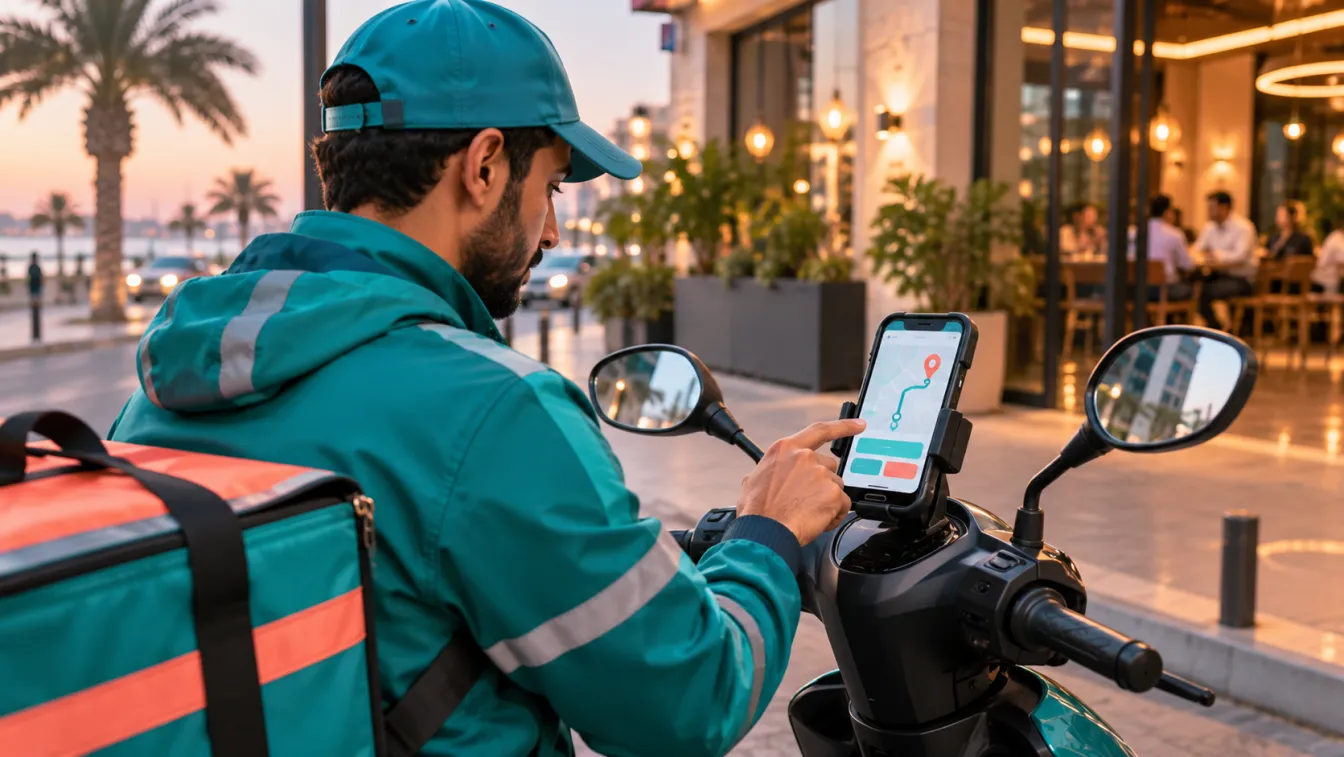
Delivery app development involves designing and building a connected system for customers, drivers, dispatchers and business administrators. A complete product must support the ordering journey, delivery assignment, location tracking, payments, operational monitoring and communication between everyone involved.
For a Saudi business, the right approach depends on what is being delivered, who fulfils the orders and how the operation is managed. A restaurant, grocery retailer, pharmacy and courier company may all need delivery functionality, but their workflows and business rules are different. LtsThink develops mobile applications and connected business systems around the actual operating model, rather than treating delivery as a collection of screens.
What does delivery app development involve?
A delivery application is usually a multi-interface platform. It may include a customer app, a driver app, an administration dashboard and a backend that coordinates orders, users, locations, payments and notifications.
The customer places an order, the business receives it, a dispatcher or automated rule assigns a driver, and the delivery team completes the task. Each stage needs accurate information and clear status updates.
Before choosing features or technology, define the delivery model. Is the business delivering its own products, managing deliveries for multiple merchants, or operating as a courier service? Does it employ drivers, work with independent couriers or use a third-party delivery provider?
These decisions affect the system architecture, user roles, order lifecycle and integrations. They should be documented before development begins.
1. Customer application: ordering and delivery experience
The customer application is where users discover products or services, place orders and follow delivery progress. Its design should make the journey clear, especially when users are ordering from a mobile device while moving between locations.
Common customer-facing features include:
- Registration and login: Account creation, sign-in and appropriate verification options.
- Customer profiles: Contact details, saved addresses and relevant preferences.
- Address selection: Map-based location selection, address details and delivery instructions.
- Product or service catalogue: Categories, descriptions, images, availability and options.
- Search and filters: Tools to find items or services efficiently.
- Shopping cart: Quantity changes, item notes, fees and order review.
- Checkout: Delivery address, payment method and confirmation.
- Order tracking: Clear order statuses and location information when available.
- Order history: Previous orders, receipts and repeat-order options where relevant.
- Ratings and support: A way to provide feedback or contact customer service.
For a Saudi audience, consider Arabic-first design, right-to-left layouts and clear Arabic content. If the business serves bilingual customers, language selection should be consistent across the catalogue, checkout, notifications and support experience.
Also consider how customers enter addresses. A delivery service may need map selection, building or unit details, district information and instructions for reaching a location. Do not assume that a map pin alone provides enough information for a successful handoff.
2. Driver application: completing delivery tasks
The driver application supports the people who collect and deliver orders. It should make assigned work easy to understand and provide the information needed to complete each task safely and accurately.
Depending on the operating model, driver features may include:
- Driver registration and account approval.
- Availability status and shift information.
- New delivery requests and assignment details.
- Order pickup information and merchant contact details.
- Customer address and delivery instructions.
- Navigation through a supported maps service.
- Delivery status updates.
- Proof of delivery, such as a confirmation code, signature or permitted photo.
- Exception reporting for failed or delayed deliveries.
- Delivery history and relevant performance information.
The driver workflow should reflect real operating conditions. For example, a driver may arrive at a collection point before an order is ready, be unable to contact the customer or discover that an address needs clarification.
The system should provide an appropriate way to report these situations rather than forcing the driver to select an inaccurate status.
Location access also needs careful handling. Explain when location is collected, why it is needed and how it is used. Background location functionality should be designed around legitimate operational requirements, platform permissions and applicable privacy obligations.
3. Admin dashboard: controlling delivery operations
A delivery business needs an administration interface to manage the operation beyond what customers and drivers can see.
The dashboard may include:
- Order management: View, search, filter and update orders.
- Dispatch management: Assign, reassign and monitor delivery tasks.
- Driver management: Manage driver profiles, availability and access.
- Merchant or branch management: Configure participating locations and their operating settings.
- Service areas: Define supported delivery zones and relevant restrictions.
- Product and catalogue management: Maintain items, availability and categories where applicable.
- Fees and business rules: Configure delivery charges, minimum orders and other approved rules.
- Customer support: Review complaints, delivery exceptions and order history.
- Promotions: Manage eligible discounts and campaign rules.
- Reporting: Review order volumes, cancellations, completion status and operational activity.
- User permissions: Control which employees can access sensitive functions.
A useful dashboard should match the business's actual responsibilities. A restaurant may need preparation and pickup controls, while a courier operation may focus on parcel allocation, driver availability and delivery evidence.
Avoid giving every employee unrestricted access. Define roles for dispatchers, branch managers, customer service staff, finance users and administrators according to what each person needs to do.
4. Order management and dispatch in delivery app development
Order management is the operational core of a delivery platform. The system needs a defined order lifecycle so that customers, employees and drivers see consistent information.
A typical workflow may include:
- Customer submits an order.
- The business confirms availability and accepts or rejects it.
- The order is prepared or collected.
- A driver is assigned.
- The driver picks up the order.
- The delivery is in progress.
- The customer receives the order, or an exception is recorded.
- The order is completed, cancelled or sent for further review.
The exact sequence depends on the delivery business. A grocery order may require picking and packing before driver assignment, while a courier service may need collection from one address and delivery to another.
Dispatch can be manual, automated or a combination of both. Manual dispatch gives staff direct control, while automated assignment can use configured rules such as driver availability, delivery zone, distance and task status.
Do not assume that the nearest driver is always the best assignment. Consider current workload, vehicle or delivery requirements, pickup readiness and the operational rules of the business.
A clear order lifecycle also needs exception handling. Define what happens when a customer cancels, a driver becomes unavailable, an item is out of stock or a delivery cannot be completed.
5. Live tracking, maps and notifications
Customers often want to know whether an order has been accepted, prepared, collected or delivered. Drivers and dispatchers also need location and status information to coordinate work.
A tracking system may combine:
- Driver location updates when the relevant permission and operating conditions allow them.
- Map display and route information.
- Order status updates from the driver or backend.
- Estimated arrival information when the system can calculate it reliably.
- Notifications for important order events.
- Dispatcher visibility into active deliveries.
Tracking should be designed around useful information, not constant location collection without a clear purpose. Decide when updates are needed, how frequently the system should refresh them and what customers are allowed to see.
Notifications may be sent when an order is confirmed, preparation is complete, a driver is assigned or a delivery is completed. Use push notifications for timely updates and consider SMS or other channels when they are appropriate to the business and customer preferences.
The application should not rely on notifications as the only source of order information. Users should be able to open the app and view the current order status even if a notification is delayed or unavailable.
6. Payments, refunds and delivery charges
Payment requirements depend on the products being delivered and the business model. The application may support online payment, payment on delivery or a combination of approved methods.
Payment functionality should address:
- Available payment methods and customer selection.
- Secure payment provider integration.
- Transaction confirmation and order status consistency.
- Failed, pending and cancelled payments.
- Refund and cancellation workflows.
- Delivery fees and other applicable charges.
- Receipts and transaction records.
- Reconciliation with the business's financial systems.
For a Saudi operation, evaluate payment providers and methods that suit the target customers and the business's contractual requirements. The integration should be implemented through the provider's supported technical process, with appropriate handling of payment callbacks and transaction references.
Avoid treating a successful payment screen as sufficient evidence that an order has been paid. The backend should verify the transaction status through the payment provider's supported mechanism before changing the relevant order or financial records.
Delivery charges also need clear business rules. They may depend on delivery zones, order value, service type or other approved conditions. Make sure customers can understand applicable charges before confirming an order.
7. Backend architecture for delivery app development
The mobile interfaces are only part of the solution. The backend coordinates the data and rules that connect customers, drivers, merchants and administrators.
A delivery platform may need to integrate with:
- ERP systems: Inventory, purchasing, accounting and operational records.
- POS systems: Store orders, product availability and branch transactions.
- CRM platforms: Customer profiles, enquiries and support history.
- Payment gateways: Transaction processing, refunds and payment confirmation.
- Maps services: Geocoding, maps and navigation.
- Communication services: Push notifications, SMS and email.
- E-commerce platforms: Product catalogues, orders and customer records.
- Warehouse systems: Picking, packing and dispatch readiness.
For example, a hypothetical retailer may receive orders through its delivery application while managing stock through an ERP. The integration must define how availability is checked, how orders are transferred and what happens if stock changes between checkout and fulfilment.
Integration design should include authentication, data mapping, error handling, retry rules and monitoring. It should also define which system is the source of truth for important information such as stock, customer records and order status.
This prevents different parts of the business from maintaining conflicting versions of the same transaction.
8. Choosing the right delivery model and technology
The technology should follow the product requirements rather than determine them. A business with a straightforward delivery workflow may not need the same architecture as a multi-merchant marketplace with complex dispatch rules.
During delivery app development, consider:
- Whether customer and driver experiences should be separate applications.
- Whether an admin dashboard is required from the first release.
- Whether the backend needs to support multiple branches or merchants.
- How location updates and background tasks will work.
- Which systems must integrate at launch.
- How the product will handle unreliable network conditions.
- How access permissions and sensitive information will be protected.
- What needs to be configurable without a software release.
Flutter can be a suitable option for building cross-platform mobile experiences, while native development may be appropriate for particular platform requirements. The decision should consider device capabilities, integrations, performance and long-term maintenance.
The backend and administration panel are equally important. Building the customer app without designing the operational system can leave the business relying on manual work to manage orders and drivers.
9. Saudi market, Arabic UX and operational considerations
A delivery product for Saudi Arabia should reflect how customers, drivers and businesses operate locally.
Consider the following requirements during planning:
- Arabic-first interface design with correct RTL behaviour.
- Clear bilingual content where English is also required.
- Address entry suitable for local delivery locations and building details.
- Configurable service areas and branch coverage.
- Local payment provider requirements and supported payment methods.
- Appropriate handling of customer and driver personal data.
- Clear permissions and explanations for location access.
- Support workflows that match the business's operating hours and service model.
- Relevant tax, invoicing and recordkeeping requirements for the business.
The Saudi Personal Data Protection Law (PDPL) may be relevant when the platform processes personal information. Data hosting, residency and sector-specific obligations should be assessed according to the business and information involved. Confirm applicable requirements with the relevant authority or qualified adviser rather than assuming that one configuration suits every delivery operation.
Also consider practical delivery conditions. Drivers may need clear building instructions, customer contact options and a process for documenting unsuccessful delivery attempts. These details should be part of the workflow design, not added as an afterthought.
10. Start delivery app development with an MVP
A delivery business does not always need every possible feature in its first release. The right MVP should support a complete and workable delivery journey while keeping unnecessary complexity out of the initial scope.
A practical first release might include:
- Customer registration and address selection.
- A product or service catalogue.
- Cart, checkout and order confirmation.
- Basic order management for administrators.
- Driver assignment and delivery status updates.
- Essential customer notifications.
- A suitable payment or collection process.
- Basic operational reporting and issue handling.
More advanced dispatch automation, loyalty programmes, merchant self-service, detailed analytics and additional integrations can be evaluated as later phases if they are not essential to the initial operation.
The MVP should still be a usable product, not a collection of disconnected screens. Before launch, test the full order journey, including payment outcomes, cancellations, unavailable items, driver exceptions and customer support scenarios.
If the business is still validating whether customers need the service, it may be better to test the operating model with a limited manual process or prototype before investing in a complete platform.
11. What to prepare before delivery app development starts
A clear brief helps a development company understand the business and prepare a realistic scope.
Document the following:
- What is being delivered and who places the orders.
- Whether the business uses its own drivers or external delivery providers.
- The customer, driver, dispatcher and administrator roles.
- The order lifecycle and exception scenarios.
- Delivery zones, branches and operating rules.
- Required payment methods and refund processes.
- Existing ERP, POS, CRM or e-commerce systems.
- Arabic and English interface requirements.
- Reporting and operational information needs.
- Security, privacy and infrastructure expectations.
- Features required for the first release and those planned for later.
When evaluating an app development company in Riyadh or mobile app developers in Jeddah, ask how the team approaches the customer app, driver workflow, admin dashboard and backend as one connected product.
At LtsThink, we plan mobile interfaces alongside the backend and administration tools, so the delivery operation is considered from the beginning. We can also assess integrations with existing business systems and define a phased release based on the agreed requirements.
The objective is not simply to publish an app. It is to build a delivery system that supports the business's real operating model, gives customers a clear experience and provides employees with the tools to manage orders reliably.
Work with us: Planning a delivery platform for your business? Explore mobile app development with LtsThink and discuss the customer, driver, admin and backend requirements with our team. If you are still defining the first release, read our guide to MVP app development before finalising the scope.
FAQ
What are the main features of a delivery app?
Most delivery platforms need customer ordering, address management, checkout, order tracking, driver workflows, dispatch management, notifications and an administration dashboard. The exact feature set depends on the delivery model and business operations.
Does a delivery business need separate customer and driver apps?
Not always, but separate interfaces are often useful because customers and drivers have different tasks, permissions and workflows. The product architecture should be based on how the business manages orders and deliveries.
Can a delivery app connect to an ERP or POS system?
Yes. Integrations can connect orders, inventory, branches, transactions and other business records. The integration scope should define which system owns each important data record and how errors or synchronisation failures are handled.
Can I launch a delivery app with an MVP?
Yes. An MVP can include the essential customer ordering journey, order administration, driver assignment and delivery updates. Advanced automation and additional features can be introduced later, provided the first release supports a complete and reliable operation.
Should a delivery app support Arabic and English?
That depends on the target customers and business requirements. For a Saudi audience, Arabic-first design and correct right-to-left behaviour should be considered from the start. English can be included where the service needs a bilingual experience.